All examples / feature card
Line-art sync: laptop to phone
A monoline line drawing of a laptop and a phone on paper; one outlined data block leaves the laptop every two seconds and draws a navy line behind it to the phone, where two signal arcs light up as it lands.
Prompt tested
Feature card size
Prompt
Draw a looping monoline line-art illustration (one navy stroke weight, round caps and joins, no fills except paper, front view, not isometric) for a 'Sync' feature card in the Harbor palette, as one inline SVG animated with CSS keyframes only (no JavaScript, no libraries), using stroke-dashoffset to draw a line. Scene, on a paper-coloured rounded card: a long horizontal ground line; on the left a laptop seen from the front (an outlined rounded screen with an inner screen outline and three short text strokes, sitting on an outlined rounded base with a small notch); on the right an upright outlined phone with a speaker slit, an inner screen outline, two text strokes and a circled check near the bottom; two small signal arcs above the phone. Everything is drawn with #1F2A44 strokes 2.5 px wide; the devices are filled with paper #F6F4EF so anything behind them is hidden. Between them a faint dotted guide line. Motion, one 6-second loop: every 2 seconds one small outlined rounded square (stroked mint #6FD6B4, then warm yellow, then coral #FF8A7A, paper inside) slips out from behind the laptop screen and slides to the phone in 1.6 s, and a solid navy line draws itself behind it with stroke-dashoffset, its end exactly following the square (same linear timing); the square disappears behind the phone, the line fades out, and the signal arcs above the phone light up as it lands. Loop with no visible jump (each keyframes ends where it starts; reset the line while it is invisible); animate only transform, opacity and stroke-dashoffset; add a prefers-reduced-motion rule that stops all animation and leaves a calm still frame with the line fully drawn and three squares spread along it.
Words it rests on
- monoline line art
- single stroke weight, round caps
- no fills except paper
- front view
- line drawing with stroke-dashoffset
- inline SVG
- CSS @keyframes
- layering to hide entry and exit
- prefers-reduced-motion still frame
- feature card
Prompt test
A fresh AI session given only this prompt rebuilt this on 2026-11-04 using claude-opus-5-5; a separate fresh session using claude-opus-5-5 judged it “like this”.
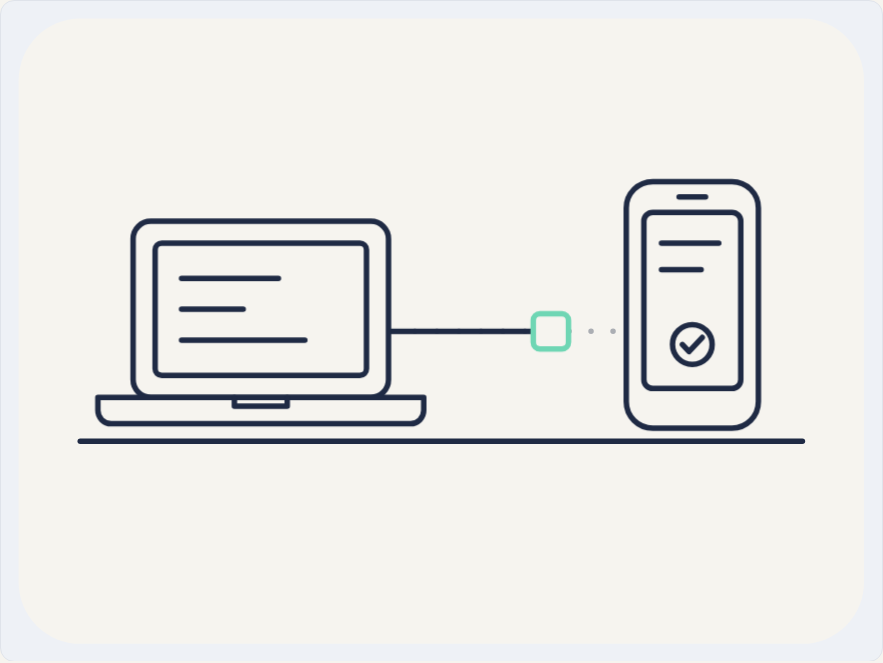
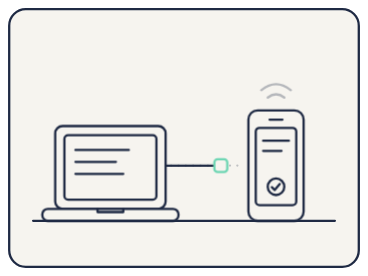
Lesson: A line-art prompt has to name the stroke rule in numbers ('#1F2A44 strokes 2.5 px, round caps, no fills except paper') and say that the devices are filled with paper, or the hide-behind-the-device trick fails. The draw-on line came back in sync with the block only because the prompt tied them together ('its end exactly following the square, same linear timing') and said how to keep the loop seamless ('reset the line while it is invisible'). The arcs drifted to always on because the prompt said when they light up but not that they rest hidden.
Facts
- Tags
- feature card css keyframes inline svg stroke dashoffset line art harbor
- Weight
- 1.4 KB gzip (SVG + CSS)
- Needs
- No library, no JavaScript
- Browser support
- All current browsers (Chrome, Edge, Firefox, Safari 15+); CSS transforms on SVG groups and animated stroke-dashoffset.
- Loop
- 6 s, seamless; still frame with reduced motion
- Link
/examples/line-sync/
Source
Paste both parts into any page. Wrap the SVG in <div class="ma-line-sync"> and put the CSS in a <style> element or your stylesheet; every class, id and animation name starts with ma-line-sync, so it will not clash with your styles.
demo.svg
<svg xmlns="http://www.w3.org/2000/svg" viewBox="0 0 400 300" role="img" aria-labelledby="ma-line-sync-title">
<title id="ma-line-sync-title">A line drawing of a laptop and a phone; each data block draws a line behind it as it travels from the laptop to the phone</title>
<rect x="8" y="8" width="384" height="284" rx="28" fill="#F6F4EF"/>
<g fill="none" stroke="#1F2A44" stroke-width="2.5" stroke-linecap="round" stroke-linejoin="round">
<path d="M36 200H364"/>
<path d="M188 150H280" stroke-dasharray="0 10" opacity=".35"/>
<path class="ma-line-sync-draw" d="M166 150H300" stroke-dasharray="134 140"/>
<g class="ma-line-sync-block ma-line-sync-block-1"><rect x="252" y="142" width="16" height="16" rx="3" fill="#F6F4EF" stroke="#6FD6B4"/></g>
<g class="ma-line-sync-block ma-line-sync-block-2"><rect x="225" y="142" width="16" height="16" rx="3" fill="#F6F4EF" stroke="#E8AC3E"/></g>
<g class="ma-line-sync-block ma-line-sync-block-3"><rect x="198" y="142" width="16" height="16" rx="3" fill="#F6F4EF" stroke="#FF8A7A"/></g>
<rect x="60" y="100" width="116" height="80" rx="8" fill="#F6F4EF"/>
<rect x="70" y="110" width="96" height="60" rx="3"/>
<path d="M82 126H126M82 140H110M82 154H138"/>
<path d="M44 180H192V186A6 6 0 0 1 186 192H50A6 6 0 0 1 44 186Z" fill="#F6F4EF"/>
<path d="M106 180V184H130V180"/>
<rect x="284" y="82" width="60" height="112" rx="12" fill="#F6F4EF"/>
<rect x="292" y="96" width="44" height="80" rx="4"/>
<path d="M308 89H320M300 110H326M300 122H318"/>
<circle cx="314" cy="156" r="9"/>
<path d="M309.5 156L312.5 159.2L318.5 152.8"/>
<g class="ma-line-sync-receive" opacity=".6"><path d="M302 70A18 18 0 0 1 326 70M294 61A30 30 0 0 1 334 61"/></g>
</g>
</svg>
demo.css
/* Line-art sync card: one outlined block leaves the laptop every 2 s and draws a line behind it to the phone.
   Loop period 6 s. The devices are filled with paper and drawn over the line, so each block slips out of the
   laptop and into the phone. Only transform, opacity and stroke-dashoffset animate. */
.ma-line-sync svg {
  display: block;
  width: 100%;
  height: auto;
}

/* The drawn line: its end follows the travelling block (same 1.6 s, same linear timing). */
.ma-line-sync .ma-line-sync-draw {
  animation-name: ma-line-sync-draw;
  animation-duration: 2s;
  animation-timing-function: linear;
  animation-iteration-count: infinite;
}

@keyframes ma-line-sync-draw {
  0%, 100% { stroke-dashoffset: 134; opacity: 1; }
  80% { stroke-dashoffset: 0; opacity: 1; }
  95% { stroke-dashoffset: 0; opacity: 0; }
  96% { stroke-dashoffset: 134; opacity: 0; }
}

.ma-line-sync .ma-line-sync-block {
  animation-duration: 6s;
  animation-timing-function: linear;
  animation-iteration-count: infinite;
}

.ma-line-sync .ma-line-sync-block-1 {
  animation-name: ma-line-sync-travel-1;
}

.ma-line-sync .ma-line-sync-block-2 {
  animation-name: ma-line-sync-travel-2;
  animation-delay: -4s;
}

.ma-line-sync .ma-line-sync-block-3 {
  animation-name: ma-line-sync-travel-3;
  animation-delay: -2s;
}

/* Each block crosses in the first 1.6 s of its 6 s cycle, then waits hidden behind the laptop. */
@keyframes ma-line-sync-travel-1 {
  0%, 100% { transform: translateX(-94px); opacity: 0; }
  3% { opacity: 1; }
  26.667% { transform: translateX(40px); opacity: 1; }
  30% { transform: translateX(40px); opacity: 0; }
  31% { transform: translateX(-94px); opacity: 0; }
}

@keyframes ma-line-sync-travel-2 {
  0%, 100% { transform: translateX(-67px); opacity: 0; }
  3% { opacity: 1; }
  26.667% { transform: translateX(67px); opacity: 1; }
  30% { transform: translateX(67px); opacity: 0; }
  31% { transform: translateX(-67px); opacity: 0; }
}

@keyframes ma-line-sync-travel-3 {
  0%, 100% { transform: translateX(-40px); opacity: 0; }
  3% { opacity: 1; }
  26.667% { transform: translateX(94px); opacity: 1; }
  30% { transform: translateX(94px); opacity: 0; }
  31% { transform: translateX(-40px); opacity: 0; }
}

/* Two signal arcs above the phone light up as each block lands. */
.ma-line-sync .ma-line-sync-receive {
  animation-name: ma-line-sync-receive;
  animation-duration: 2s;
  animation-timing-function: ease-out;
  animation-iteration-count: infinite;
}

@keyframes ma-line-sync-receive {
  0%, 100% { opacity: 0; }
  76% { opacity: 0; }
  86% { opacity: 1; }
}

/* Calm still frame: the markup's resting state shows the full line with three blocks along it. */
@media (prefers-reduced-motion: reduce) {
  .ma-line-sync,
  .ma-line-sync * {
    animation: none !important;
  }
}
Same idea, other ways
Say 'monoline line art, one navy stroke weight, no fills except paper' and 'a line draws itself with stroke-dashoffset' to swap the shaded boxes for an outline drawing whose track is drawn by each travelling block.
- Isometric sync: laptop to phone isometric, flat shaded, harbor
- Dusk sync: laptop to phone, dark palette isometric, flat shaded, dusk
- Flat sync: laptop to phone flat vector, harbor
- Clay sync: laptop to phone clay, harbor
- Glass sync: laptop to phone glass, harbor