All examples / scroll story
Reading progress: a bar that fills as you scroll
A short article with a thin sky-to-mint bar stuck to its top edge; the bar grows from left to right as the reader scrolls, driven by a CSS scroll timeline with no script.
Prompt tested
Field notes · 4 min read
How Pellbrook keeps one shopping list for a whole house
Four flatmates, two supermarkets and one list that never forgets the oat milk.
One list, many hands
Everyone in the house adds to the same list from their own phone. An item added at the bus stop shows up on the kitchen tablet a moment later, with a small initial beside it so nobody buys the same loaf twice. There is no account to set up for guests: a visitor scans the card on the fridge and can add things for the weekend.
Aisles, not alphabet
Pellbrook sorts the list by where things sit in the shop you pick. Walk in through the fruit and vegetables and the list starts there, then moves past the bakery to the fridges at the back. Each shop learns its own order from the way you tick things off, so the second visit is already quicker than the first.
Quiet reminders
When someone passes a shop on the list, Pellbrook can send one gentle nudge with the three things still missing. It never sends more than one an hour, and it stays silent at night. If nobody needs anything, it says nothing at all, which turns out to be the feature people like most.
Receipts that split themselves
Tick an item as bought and it moves to a shared tab with its price. At the end of the month Pellbrook shows who paid for what and suggests the fewest transfers to even things out. The list stays light because finished items fold away, and the history is there when you need it.
End of article
Prompt
Build a short article section with a reading-progress bar driven by a CSS scroll-driven animation (animation-timeline: scroll(nearest block); no JavaScript, no scroll event listeners, no libraries), as one HTML fragment plus CSS scoped under one wrapper class. Layout: a centred column (max-width 40rem, 1.25rem side padding) on a paper background #F6F4EF with ink text #1F2A44, body in the system sans-serif at 1rem with line-height 1.65. At the top: a small uppercase slate (#5B6B8C) kicker 'Field notes · 4 min read', a Georgia serif h2 headline (1.75rem), a slate lede line, and a 2 px sun-yellow (#FFC861) rule under that header. Then four sections, each a serif h3 (1.25rem) and one paragraph of about 60 words, and a small centred uppercase 'End of article' line. Invent the product: an app called Pellbrook that keeps one shared shopping list for a house. The progress bar is the article's first child: a 0.35rem tall strip with position: sticky; top: 0, so it rides the top edge of whatever scrolls; it spans the column's full width including its padding, with a sky-to-mint gradient (#7FB6FF to #6FD6B4) and slightly rounded bottom corners. Motion: as the reader scrolls from the top to the bottom, the bar grows from nothing to full width: keyframes transform: scaleX(0) to scaleX(1) with transform-origin: left, linear timing, animation-duration: auto, animation-fill-mode: both, animation-timeline: scroll(nearest block). Give the bar opacity: 0 in its base style and opacity: 1 in both keyframes, so it only shows while the scroll timeline drives it. Put only the animation lines (animation-name, -duration, -timing-function, -fill-mode, -timeline) inside @supports (animation-timeline: scroll()), so other browsers show the plain article with no bar, and add a prefers-reduced-motion rule that sets animation: none, which shows the same plain article. Use no vh units, no position: fixed and no overflow: hidden or auto.
Words it rests on
- reading-progress bar
- CSS scroll-driven animation: animation-timeline: scroll(nearest block)
- transform: scaleX(0 → 1) with transform-origin: left
- animation-duration: auto + animation-fill-mode: both
- position: sticky; top: 0
- @supports (animation-timeline: scroll()) holding only the animation lines
- bar hidden by default (opacity 0 in the base, 1 in every keyframe), so no support means no bar rather than a full one
- progress through one section: a named view-timeline on the article with animation-range: contain
- no scroll event listeners
- prefers-reduced-motion: animation none
Prompt test
A fresh AI session given only this prompt rebuilt this on 2026-11-05 using claude-opus-5-5; a separate fresh session using claude-opus-5-5 judged it “like this”.
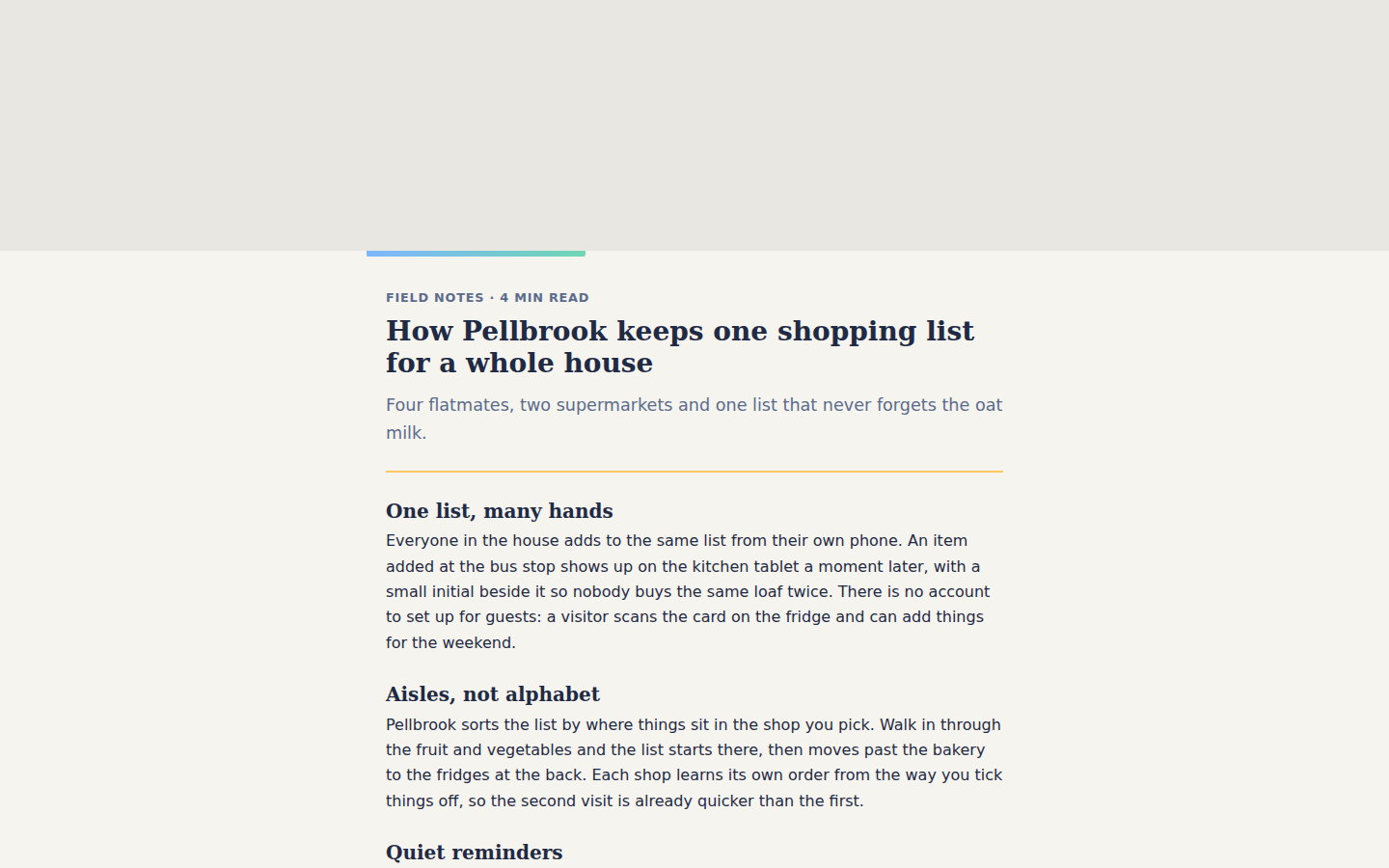
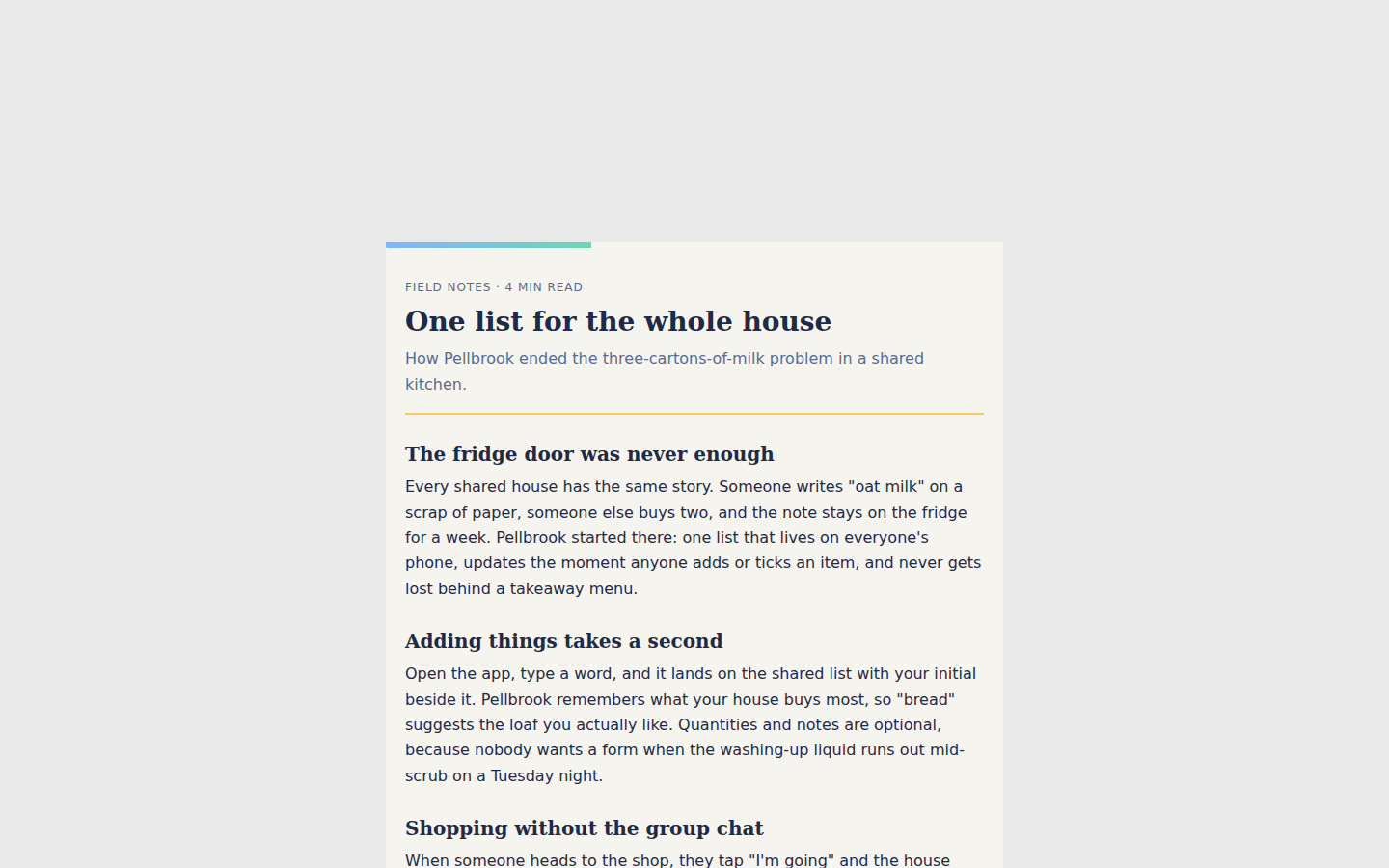
Lesson: For a reading-progress bar, naming the timeline (`animation-timeline: scroll(nearest block)` with `animation-duration: auto` and `fill-mode: both`), the sticky first child, and the "opacity 0 in the base, 1 in every keyframe" trick got a rebuild whose bar matches the original within 1 % at every scroll position and hides cleanly without support, on the first try. Where the paper background sits (section or column) was left loose and drifted.
Facts
- Tags
- scroll story scroll timeline editorial harbor
- Weight
- 1.8 KB gzip (HTML + CSS)
- Needs
- No library, no JavaScript
- Browser support
- CSS scroll-driven animations (animation-timeline: scroll()): Chrome and Edge 115+, Safari 26+; Firefox only behind a flag (MDN). Other browsers show the finished layout: the article without the bar.
- Motion
- follows the scroll; without support or with reduced motion the finished layout shows
- Link
/examples/scroll-progress/
Source
Paste both parts into any page. Wrap the HTML in <div class="ma-scroll-progress"> and put the CSS in a <style> element or your stylesheet; every class, id and animation name starts with ma-scroll-progress, so it will not clash with your styles.
demo.html
<article class="ma-scroll-progress-article">
  <div class="ma-scroll-progress-bar" aria-hidden="true"></div>
  <header class="ma-scroll-progress-head">
    <p class="ma-scroll-progress-kicker">Field notes · 4 min read</p>
    <h2>How Pellbrook keeps one shopping list for a whole house</h2>
    <p class="ma-scroll-progress-lede">Four flatmates, two supermarkets and one list that never forgets the oat milk.</p>
  </header>
  <section>
    <h3>One list, many hands</h3>
    <p>Everyone in the house adds to the same list from their own phone. An item added at the bus stop shows up on the kitchen tablet a moment later, with a small initial beside it so nobody buys the same loaf twice. There is no account to set up for guests: a visitor scans the card on the fridge and can add things for the weekend.</p>
  </section>
  <section>
    <h3>Aisles, not alphabet</h3>
    <p>Pellbrook sorts the list by where things sit in the shop you pick. Walk in through the fruit and vegetables and the list starts there, then moves past the bakery to the fridges at the back. Each shop learns its own order from the way you tick things off, so the second visit is already quicker than the first.</p>
  </section>
  <section>
    <h3>Quiet reminders</h3>
    <p>When someone passes a shop on the list, Pellbrook can send one gentle nudge with the three things still missing. It never sends more than one an hour, and it stays silent at night. If nobody needs anything, it says nothing at all, which turns out to be the feature people like most.</p>
  </section>
  <section>
    <h3>Receipts that split themselves</h3>
    <p>Tick an item as bought and it moves to a shared tab with its price. At the end of the month Pellbrook shows who paid for what and suggests the fewest transfers to even things out. The list stays light because finished items fold away, and the history is there when you need it.</p>
  </section>
  <p class="ma-scroll-progress-end">End of article</p>
</article>
demo.css
/* Reading progress: a thin bar sticks to the top of the article and fills from left to right as
   the reader scrolls. The fill follows the nearest scroller (scroll(nearest block)): inside the
   gallery frame that is the frame, on a real page it is the page. The bar is hidden by default
   and only shows where scroll timelines run, so a browser without them, reduced motion and pause
   show the article with no bar rather than a full one that means nothing. */
.ma-scroll-progress {
  background: #F6F4EF;
  color: #1F2A44;
}

.ma-scroll-progress .ma-scroll-progress-article {
  max-width: 40rem;
  margin: 0 auto;
  padding: 0 1.25rem 2.5rem;
  font-family: system-ui, -apple-system, 'Segoe UI', sans-serif;
  font-size: 1rem;
  line-height: 1.65;
}

.ma-scroll-progress .ma-scroll-progress-bar {
  position: sticky;
  top: 0;
  z-index: 1;
  height: 0.35rem;
  margin: 0 -1.25rem;
  border-radius: 0 0 0.2rem 0.2rem;
  background: linear-gradient(90deg, #7FB6FF, #6FD6B4);
  transform-origin: left center;
  opacity: 0;
}

.ma-scroll-progress .ma-scroll-progress-head {
  padding: 2rem 0 0.5rem;
  border-bottom: 2px solid #FFC861;
  margin-bottom: 0.5rem;
}

.ma-scroll-progress .ma-scroll-progress-kicker {
  margin: 0 0 0.5rem;
  font-size: 0.8rem;
  font-weight: 600;
  letter-spacing: 0.06em;
  text-transform: uppercase;
  color: #5B6B8C;
}

.ma-scroll-progress h2,
.ma-scroll-progress h3 {
  font-family: Georgia, 'Times New Roman', serif;
  line-height: 1.2;
  color: #1F2A44;
}

.ma-scroll-progress h2 {
  margin: 0 0 0.75rem;
  font-size: 1.75rem;
}

.ma-scroll-progress h3 {
  margin: 1.75rem 0 0.4rem;
  font-size: 1.25rem;
}

.ma-scroll-progress p {
  margin: 0 0 1rem;
}

.ma-scroll-progress .ma-scroll-progress-lede {
  font-size: 1.1rem;
  color: #5B6B8C;
}

.ma-scroll-progress .ma-scroll-progress-end {
  margin-top: 2rem;
  font-size: 0.8rem;
  letter-spacing: 0.06em;
  text-transform: uppercase;
  text-align: center;
  color: #5B6B8C;
}

/* The bar keeps opacity 1 on every frame, so it shows only while the timeline drives it. */
@keyframes ma-scroll-progress-fill {
  from { transform: scaleX(0); opacity: 1; }
  to { transform: scaleX(1); opacity: 1; }
}

@supports (animation-timeline: scroll()) {
  .ma-scroll-progress .ma-scroll-progress-bar {
    animation-name: ma-scroll-progress-fill;
    animation-duration: auto;
    animation-timing-function: linear;
    animation-fill-mode: both;
    animation-timeline: scroll(nearest block);
  }
}

@media (prefers-reduced-motion: reduce) {
  .ma-scroll-progress,
  .ma-scroll-progress * {
    animation: none !important;
  }
}